
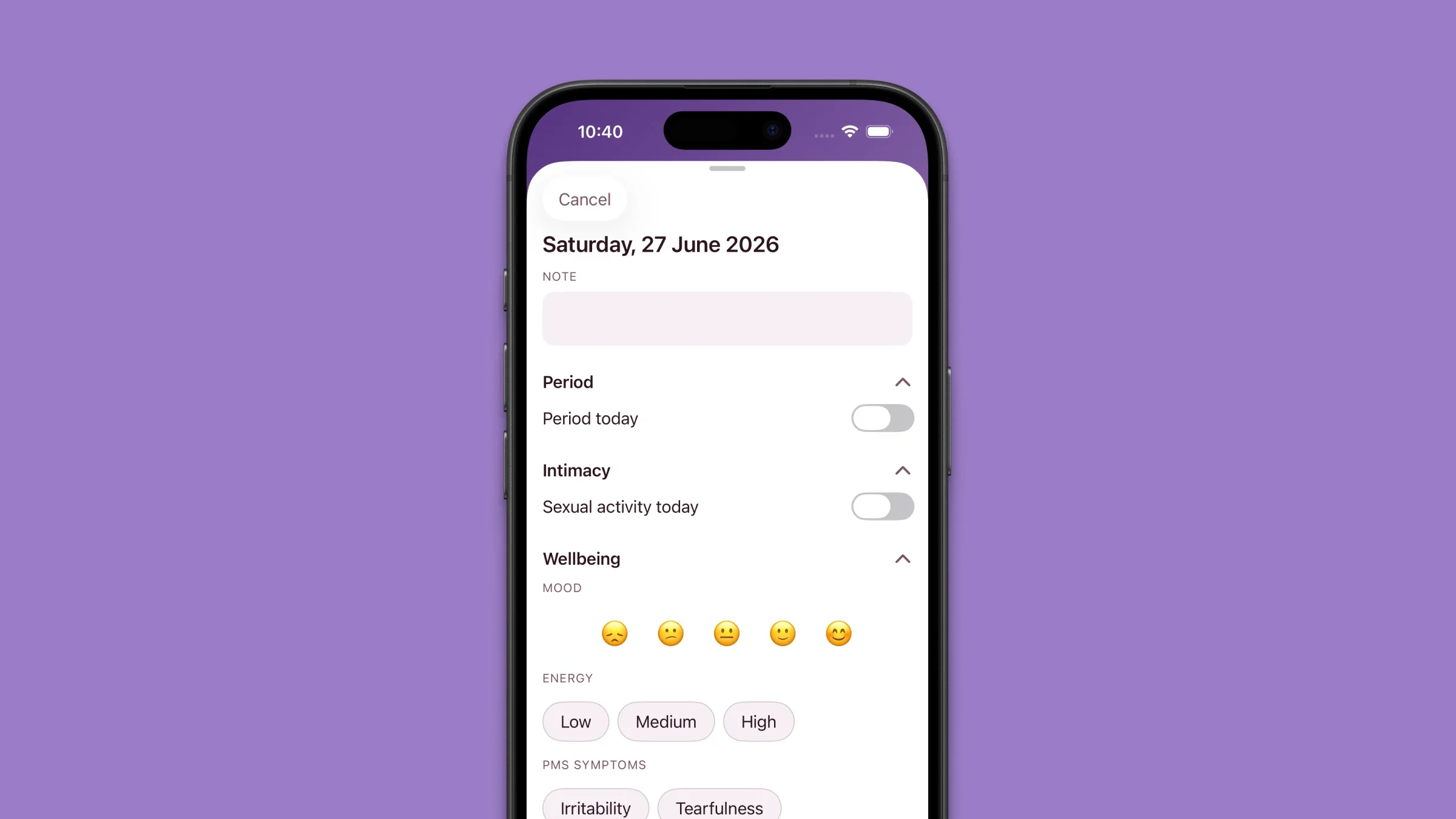
If you have ever wondered what to log in period tracker apps beyond a single “period started” dot, you are not alone. Most apps stop at the calendar tap — and that is it.
Elova’s Day Card is different: one bottom sheet per day with optional depth, auto-save, and no mandatory checklist. Here is what is inside, and how I actually use it as a period tracker day log without spending ten minutes every night.
How to Open the Day Card
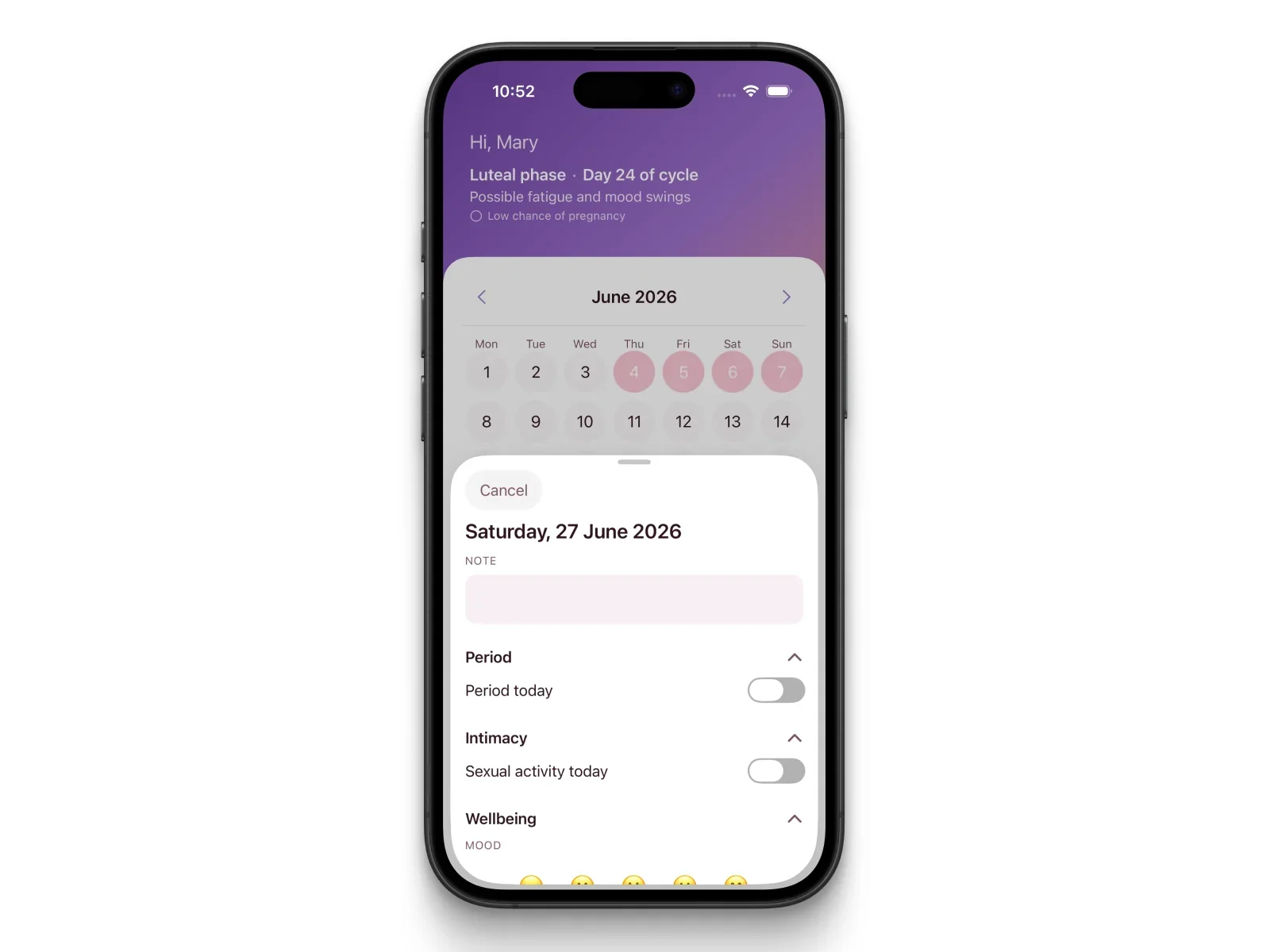
The Day Card is a sheet that slides up from the bottom (medium or full height). There is no Save button — everything writes itself as you tap, and you close with Cancel.
Calendar — quick tap (today or a past day)
Marks or unmarks period for that day. If you turn period on, the Day Card opens right away so you can add flow or pain.
Calendar — press and hold (~0.4 s)
Opens the Day Card even when you only want mood, symptoms, intimacy, or a note — not necessarily a period mark.
Calendar — future days
Tap or long press does not open the Day Card. You get the prediction sheet for that future date instead.
Journal tab
Tap any day row in the list — the same Day Card opens. I use this when I am catching up on the week in one sitting.
Under the calendar, Elova reminds you: tap to mark period, hold to add symptoms, mood, and more.
Layout at a glance
At the top: the date, then a daily note (always visible, outside the sections). Below that, three collapsible sections — Period, Intimacy, and Wellbeing — all expanded by default. At the bottom: Clear this day if you want to wipe every entry for that date.
The Daily Note
The note field sits above all sections — not buried inside Wellbeing.
I use it for medication changes, travel, stress, illness, or anything that does not fit a pill button. You can type here even on days when you skip every toggle.
Intimacy has its own separate note inside that section when you want privacy within the app — two notes, two purposes.
Section 1 — Period Details
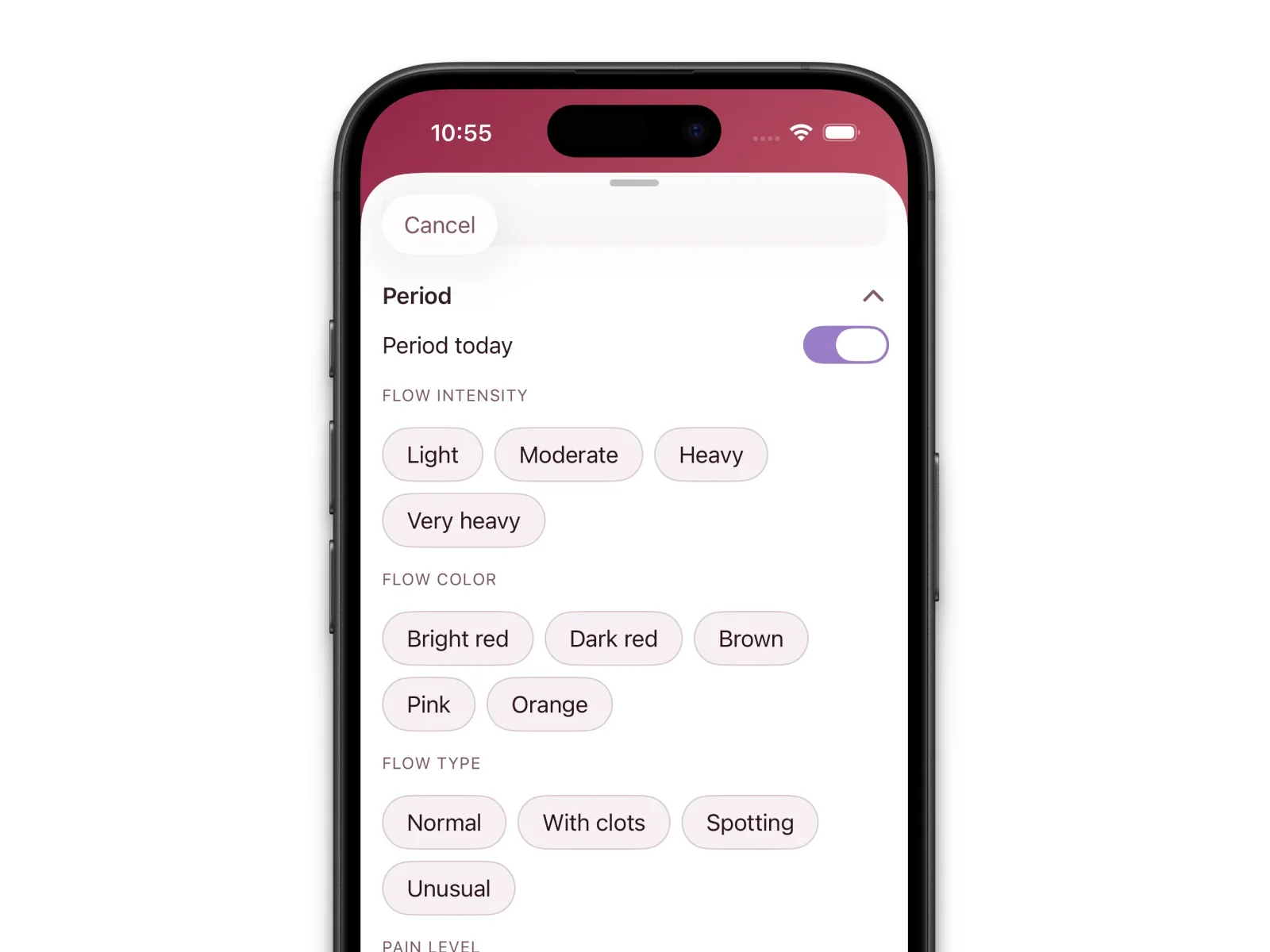
Open the Period section. The Period today toggle is the master switch — off hides the fields and removes that day’s period record; on reveals the details below.
| Field | Options | Why it matters |
|---|---|---|
| Flow intensity | Light, Moderate, Heavy, Very heavy | Helps spot changes over time |
| Blood color | Bright red, Dark red, Brown, Pink, Orange | Each color can indicate different cycle phases |
| Flow type | Normal, Clots, Spotting, Unusual | Unusual patterns are worth sharing with a doctor |
| Pain level | 1–10 slider | Tracks whether pain is worsening across cycles |
| Pain symptoms | Cramps, Lower back, Headache, Nausea, Bloating (multi-select) | Identifies your personal pain pattern |
Flow intensity and flow type are separate on purpose — spotting belongs under type, not as a fifth heaviness level.
💡 Developer note (Stanislav, Elova): Pain level (how intense) and pain symptoms (where and what kind) are split fields. Most apps combine them; six months later you cannot tell if day 2 was an 8 with cramps or an 8 with nausea. Separate data makes cycle tracker daily symptoms useful at a gynecologist visit.
Section 2 — Intimacy Log
Optional, but more detailed than in most period app daily entry flows. Toggle sexual activity today on to show the fields; off clears that day’s intimacy record.
| Field | Options |
|---|---|
| Activity type | Solo / With partner |
| Contact type | Vaginal / Oral / Anal / Other (multi-select) |
| Protection used | None / Condom / Other method |
| Sensation | Comfortable / Discomfort / Pain |
| Post-activity discharge | Yes / No |
| Personal note | Free text (separate from the daily note) |
💡 Developer note (Stanislav, Elova): Discomfort or pain at certain cycle phases is clinically relevant and often never written down. A dedicated intimacy note keeps sensitive context out of the general note at the top of the card.
Section 3 — Wellbeing: Mood, Energy, and Symptoms
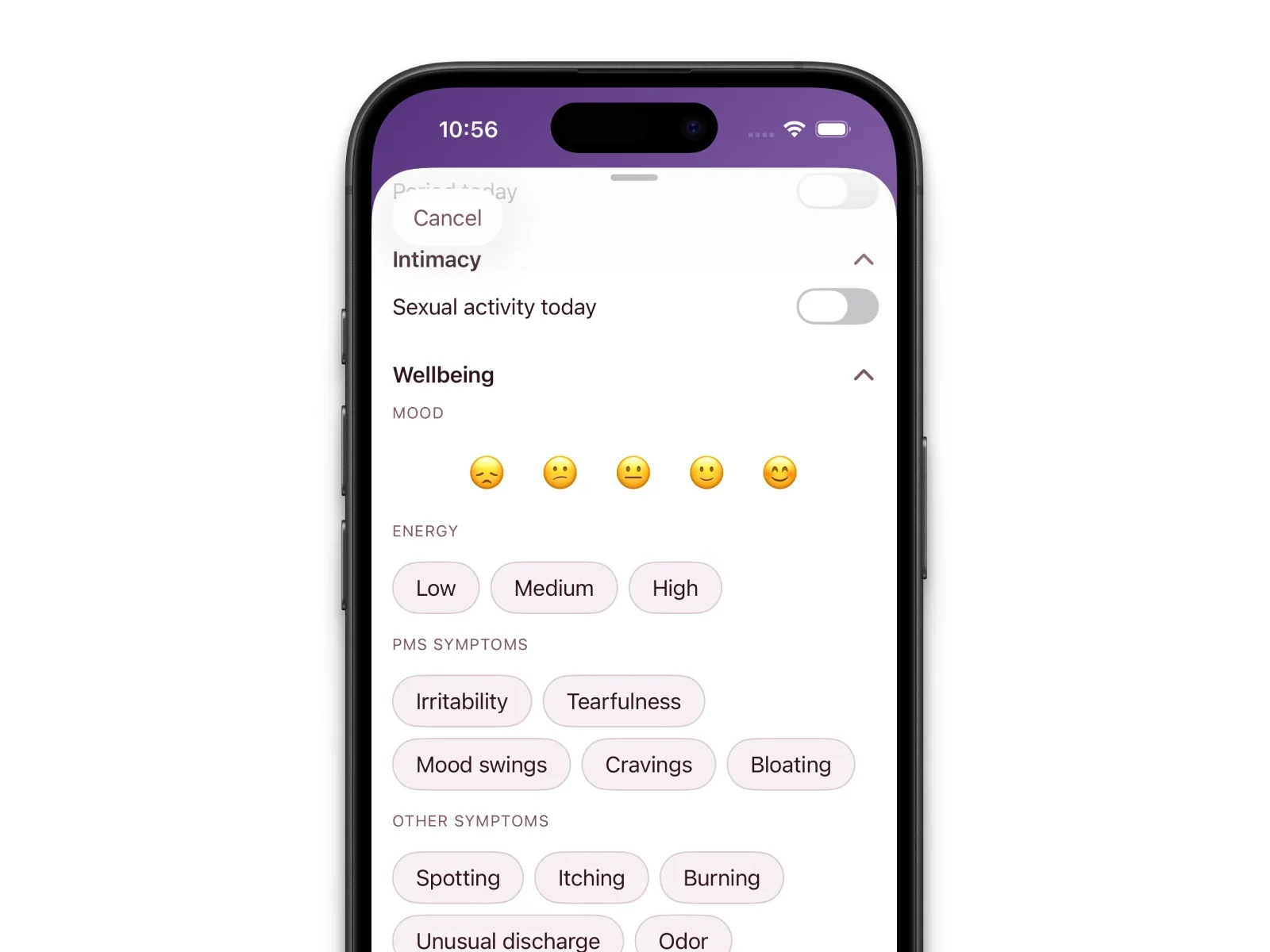
No master toggle here — fill in only what applies.
Mood — five emoji faces in a row. Tap to select, tap again to clear. Fast enough for a tired evening.
Energy — Low, Medium, or High (one choice).
PMS symptoms — Irritability, Tearfulness, Mood swings, Cravings, Bloating (multi-select).
Other symptoms — Spotting, Itching, Burning, Unusual discharge, Odour (multi-select).
Together they answer a different question than Period: not how much you bled, but how the day felt.
Basal body temperature
Inside Wellbeing, you will find an optional basal body temperature field — a decimal number (for example 36.7°C).
BBT is your temperature right after waking, often used for ovulation or fertility awareness. Measure before you get out of bed, then enter the value here.
💡 Developer note (Stanislav, Elova): Temperature is optional and tucked in Wellbeing so the card does not feel overwhelming on day one. Skip it entirely if you only care about flow and mood — the app still works.
How All of This Connects to Your Statistics
Everything you log in the Day Card feeds the bigger picture.
Monthly Summary lets you drill into metrics month by month. The Statistics tab shows patterns — frequent symptoms, pain over time, cycle length trends. Light, steady logging beats one perfect day followed by silence.
All of it stays on your iPhone — no account, no cloud upload of health data.
New to calendar taps? Read How to Log Your Period in Elova. Setting defaults first? See How to Set Up Cycle Length and Period Duration in Elova.
Frequently Asked Questions
Can I fill in the Day Card for a past day in Elova?
Yes. Press and hold a past day on the Calendar, or open the Journal tab and tap that day’s row. You can edit any past day any time.
Do I need to fill in every section of the Day Card every day?
No. Every field is optional. Turn on only the sections you need. A mood tap on a non-period day — or flow intensity on a bleed day — is already useful data.
Is the intimacy data in Elova visible to anyone else?
No. Entries stay on your device only. Turn on Face ID or Touch ID under Settings → Privacy if you want the app locked when you step away.
Complete, Not Exhaustive
The Day Card is the most complete daily health log I have used in a period app — and it still closes in under a minute on a normal day.
Download Elova on the App Store, hold a day on the calendar, and log one thing that mattered today. Tomorrow you can add another.