
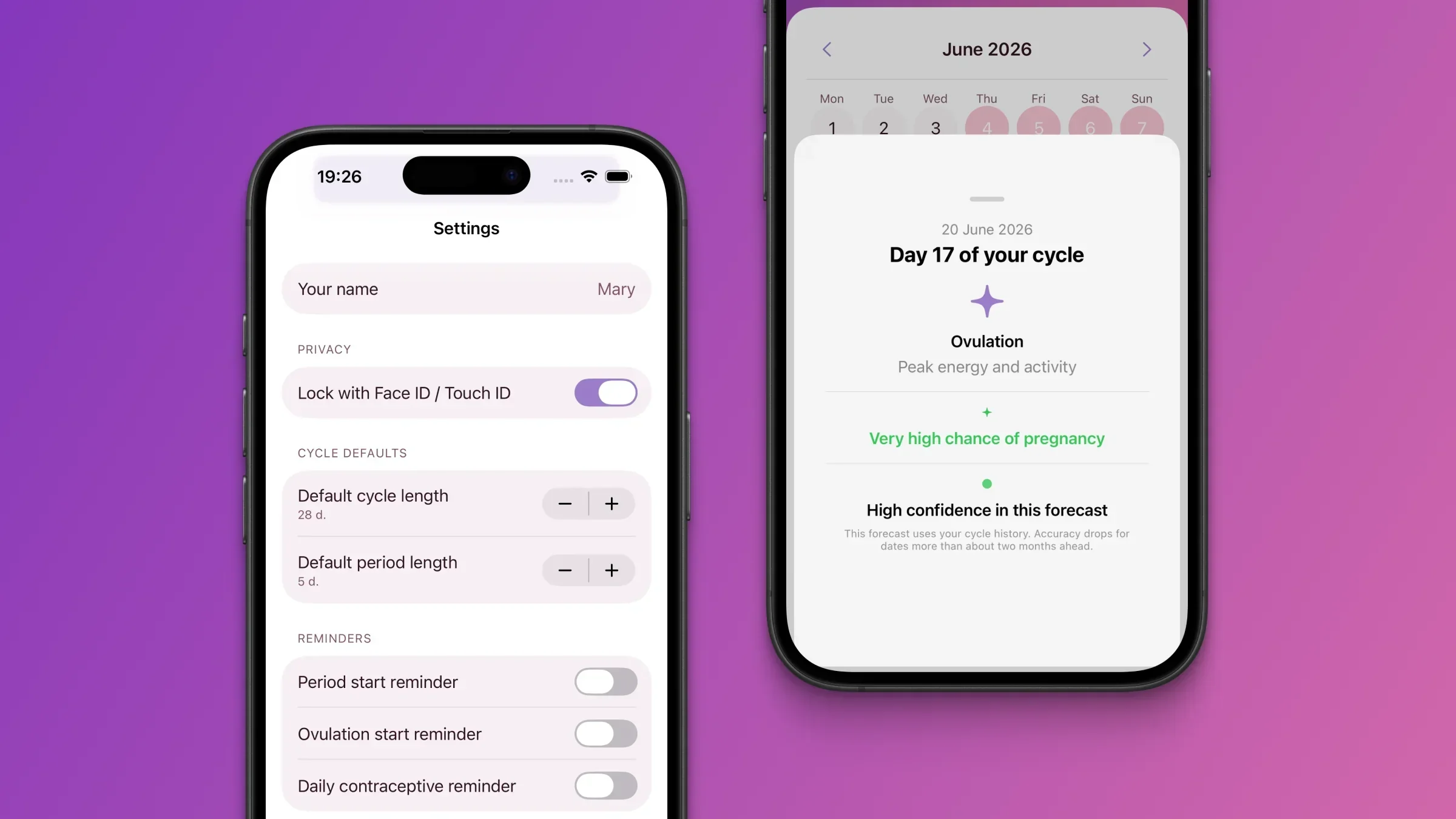
If you want to know how to set up period tracker app defaults properly, start with two numbers: cycle length and period duration. Most people tap through onboarding and never look back — then wonder why predictions feel a few days off.
I built Elova to learn from real logs, but those first settings still matter. Spend under two minutes here and your iPhone period tracker forecasts will make sense from day one.
Why These Two Numbers Matter
Cycle length and period duration are not the same thing, and mixing them up is the most common setup mistake I see.
| Setting | What it means | Default in Elova | Typical range |
|---|---|---|---|
| Cycle length | Days from first day of one period to first day of the next | 28 days | 21–35 days |
| Period duration | How many days your period actually lasts | 5 days | 2–7 days |
Wrong defaults will not break the app — but they shift every predicted day until Elova has enough of your real history to correct course.
Where to Find the Settings in Elova
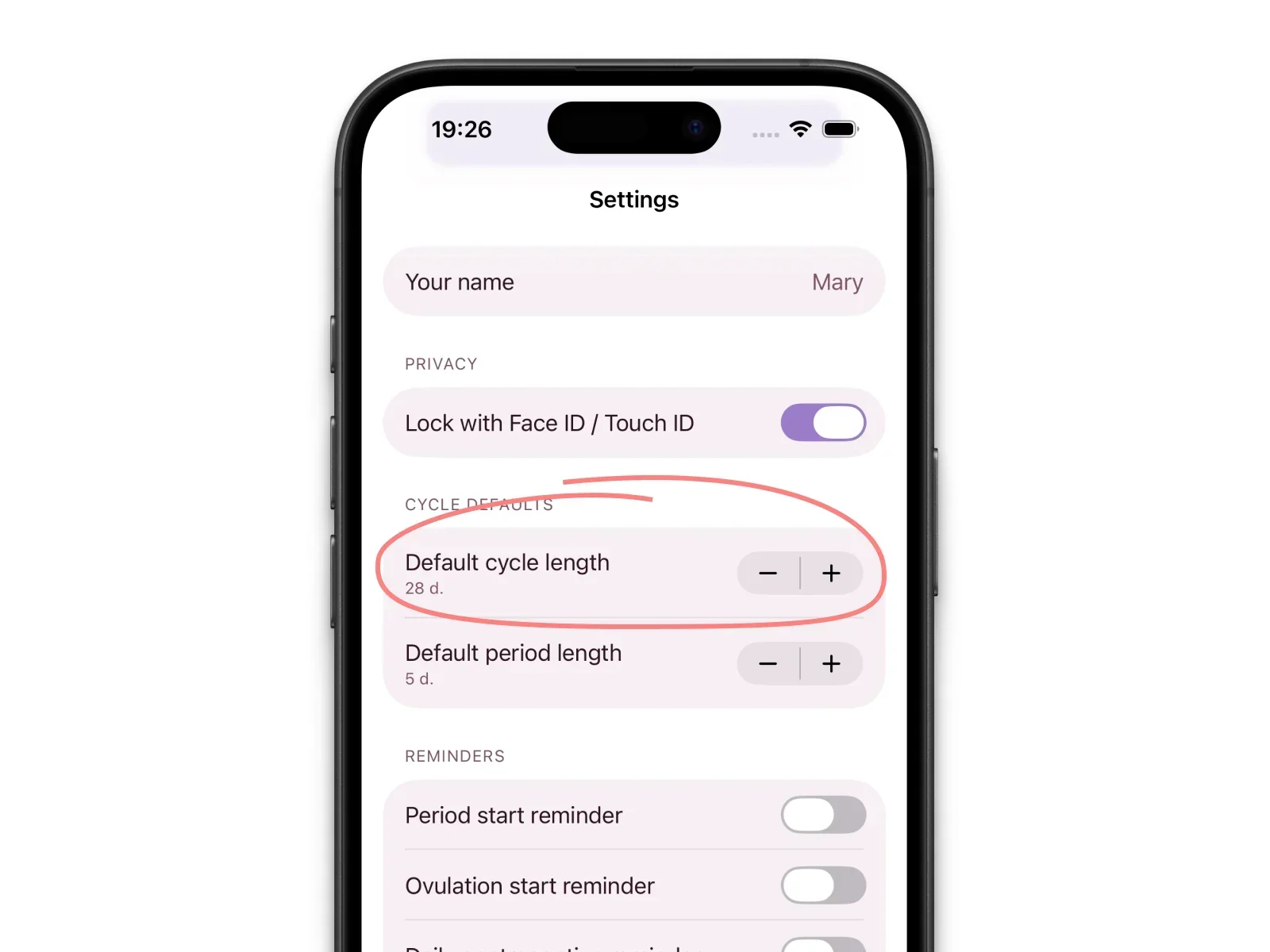
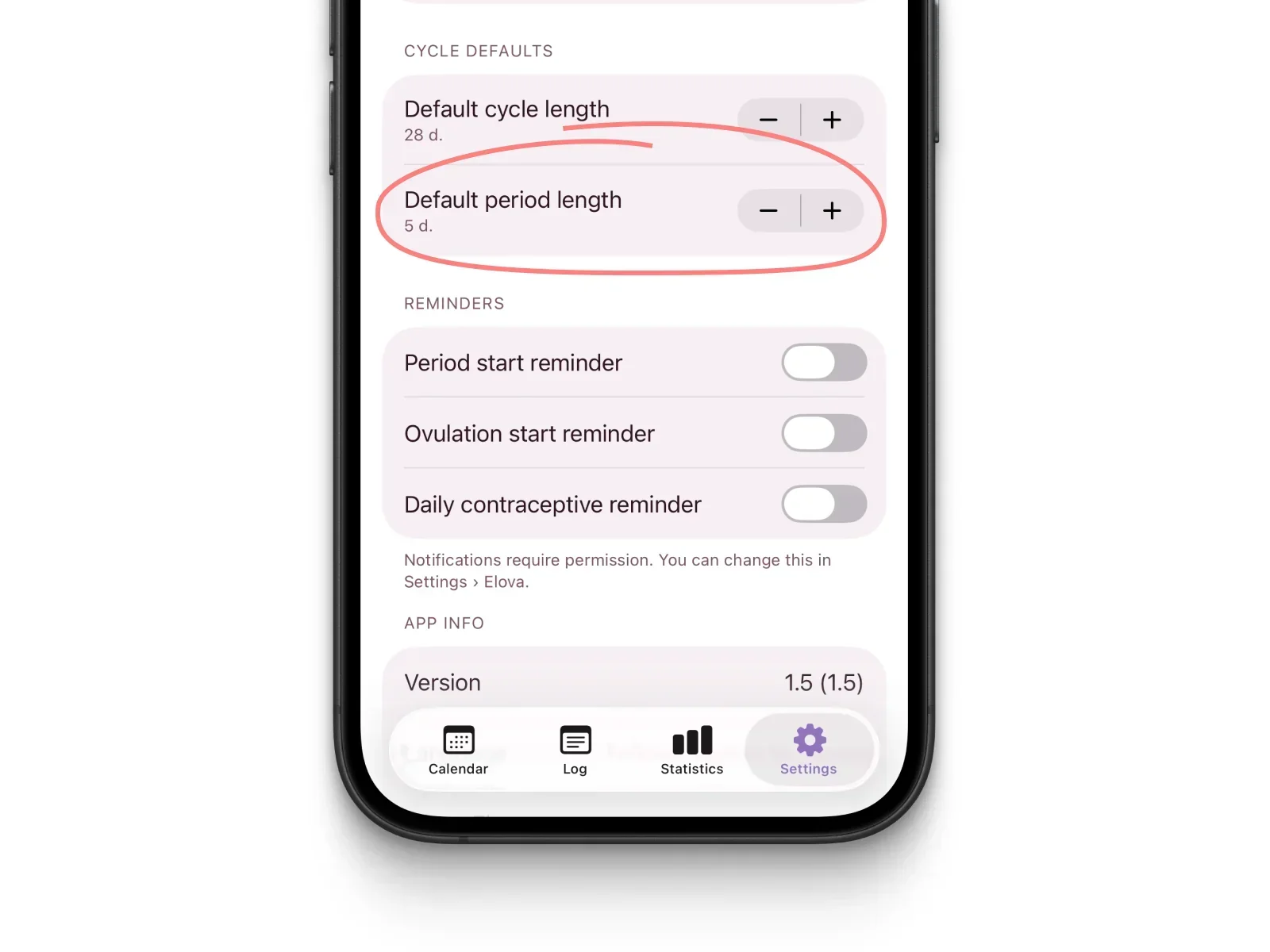
Open the Settings tab (bottom right), then scroll down to the Default cycle section. That is where cycle length setting app controls live — default cycle length and default period duration, each with − and + buttons to adjust the number.
You set the same fields during onboarding; you can change them any time here.
How to Set Your Cycle Length
To set cycle length: Settings → scroll to Default cycle → tap − or + next to default cycle length.
In plain language, cycle length is the count from day 1 of bleeding to day 1 of your next period — not how long you bleed. That is why this number is usually somewhere in the 21–35 day range, even when your period itself is only a handful of days.
💡 Developer note: When I built this screen, I chose − / + controls instead of free text on purpose. Most first-time trackers do not walk in with a number memorized — bounded buttons cut typos (tapping past 7 when you meant 27) and make menstrual tracking feel approachable instead of clinical.
How to Set Your Period Duration
To set period duration: Settings → Default cycle → tap − or + next to default period duration.
This is your average bleed length, not a rule for every cycle. Elova adapts as you log — one short period or a longer one will not permanently throw things off.
If you are unsure, start with 5 days (the default) and revisit after your first logged cycle. That is what I tell people close to me when they install the app on day one.
What If You Don’t Know Your Numbers?
You do not need perfect data to start. Defaults of 28 and 5 are fine — the app is designed for that.
Try this: glance at the last two or three months on a paper calendar, old notes, or photos with dates. Even a rough average beats a wild guess.
After two or three logged cycles, Elova self-corrects from your taps on the calendar. Setup values are a starting point, not a contract.
💡 Developer note: Users often ask me whether they can skip setup entirely. You can — but the prediction engine still needs something to seed the first forecast. I treat onboarding numbers as placeholders until your real period days take over. The sooner you log cycle day one consistently, the sooner those placeholders stop mattering.
How Elova Uses These Settings to Predict Your Cycle
Your cycle length and period duration seed the first prediction on the calendar — soft shading on future days, phase labels, and days-until-next-period readouts.
After each logged cycle, Elova recalculates your personal averages from on-device history. With fewer than two full cycles logged, forecasts lean on what you entered at setup; after that, your taps matter more than the defaults.
All of this runs locally on your iPhone. No account, no cloud upload of health data — the same privacy model as the rest of the app.
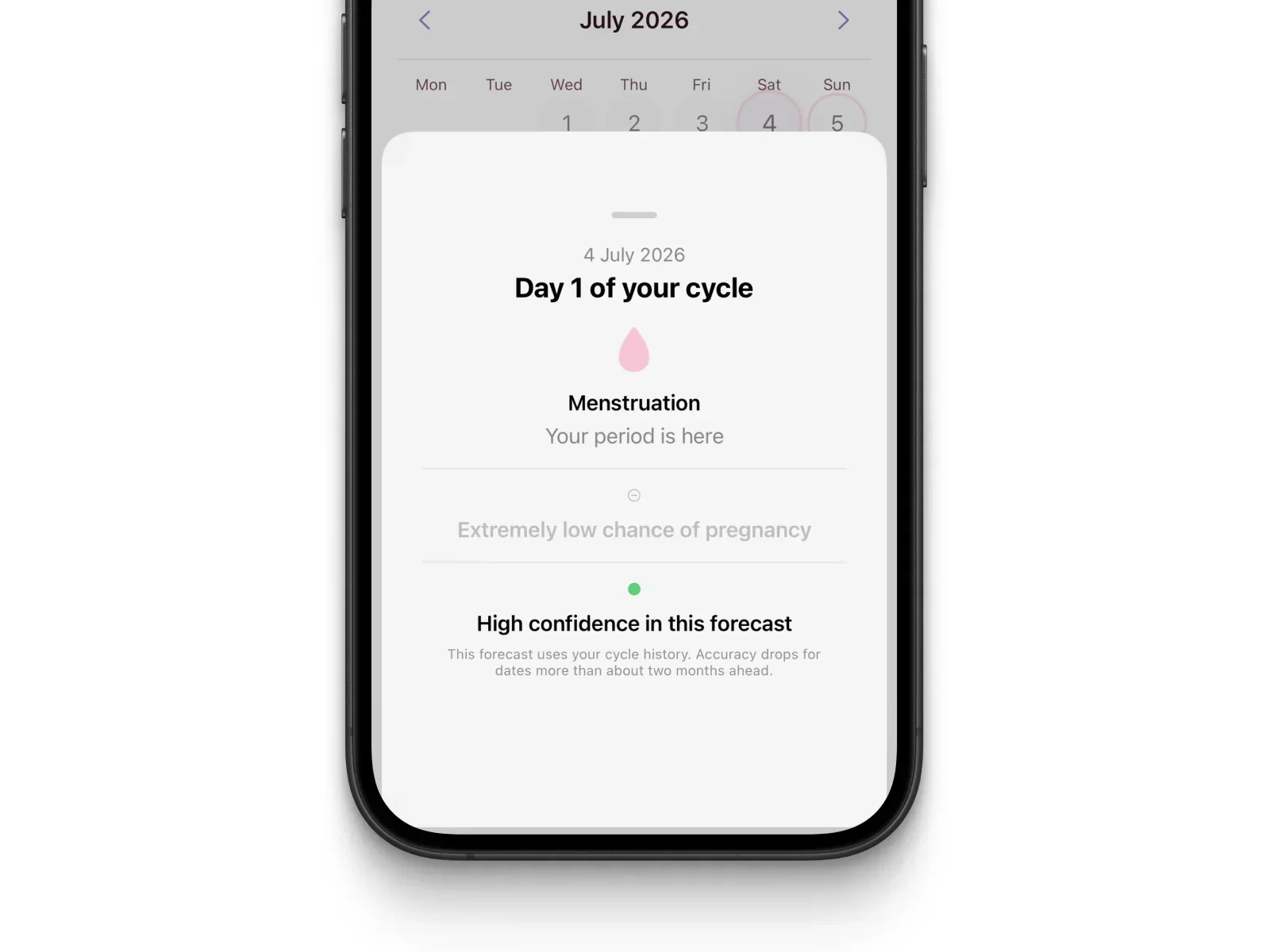
Setup gets you accurate day-one forecasts. Logging is what makes them yours. Related: How to Log Your Period in Elova.
Frequently Asked Questions
What cycle length should I enter if my cycle is irregular?
Enter your best average from the last three months — even a rough one. Elova adjusts after you log your first few cycles. You do not need to be perfectly accurate on day one.
Can I change my cycle length setting later in Elova?
Yes. Update cycle length or period duration any time in Settings → Default cycle. Changes apply to future predictions immediately.
Does Elova automatically update my cycle length as I track?
Yes. After each logged cycle, Elova refines predictions from your real data — not just the numbers you typed during period tracker setup.
Two Minutes Now, Calmer Cycles Later
I still think this is one of the highest-leverage steps in the app: two fields, under two minutes, and your calendar stops guessing in the wrong direction.
Download Elova on the App Store, set your cycle length and period duration, then mark today if you are bleeding. The rest builds from there.