
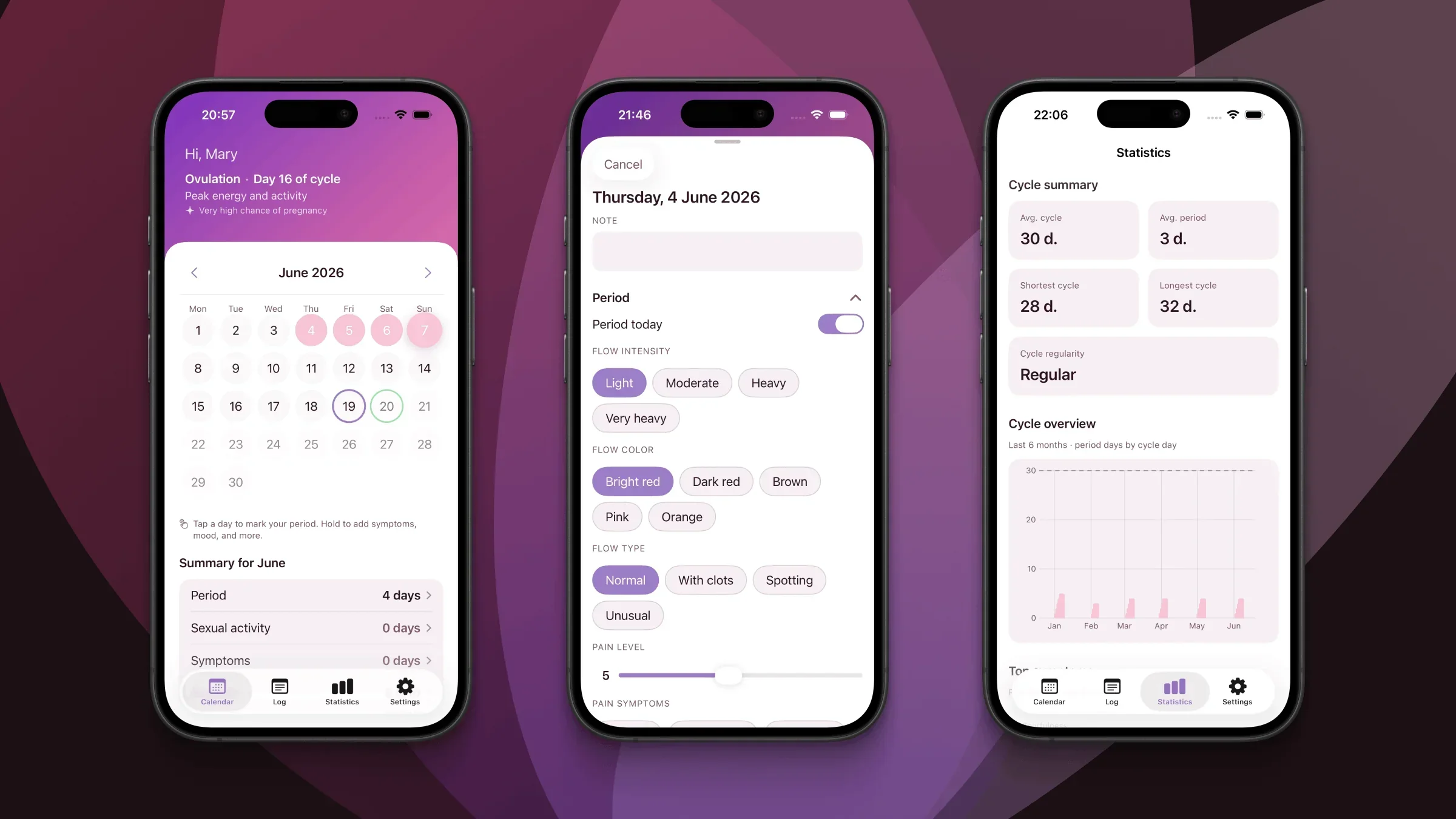
Want to know how to log period in app data that actually improves your forecasts? The habit matters from day one. Many women report that the first month feels pointless — then patterns click once a second or third cycle is on the calendar.
Elova is built for iPhone and iPad: one tap marks a period day, and a press-and-hold opens the period tracker day card for flow, pain, mood, and energy. Everything stays on your device — no account, no ads, no cloud upload to our servers.
This guide shows you how to track menstruation on iPhone with Elova, whether you log in real time or catch up on past days.
Finding Your Way Around the Elova Calendar
The calendar is your home base. Tap any day to mark it; period days turn pink. After enough history, future days may show soft prediction shading. Your current cycle phase and days-until-next-period readouts come from your logged data — not a fixed 28-day template.
You do not need every field every day. But marking period days consistently — especially cycle day one — makes predictions meaningfully better over time.
How to Log Period in App With One Tap
To mark a period day: tap any date. It turns pink instantly.
To unmark: tap again.
No forms, no extra screens. If you only do one thing in Elova, mark the first day of bleeding and each day you are still bleeding. Many women report that this minimal habit alone improves forecasts within two or three cycles. For flow, cramps, and mood, use the day card.
Opening the Day Card: Where the Details Live
Quick taps say that you are bleeding. The day card says how the day felt.
To open it: press and hold any calendar day.
Three sections appear:
- Period — flow, color, type, pain, symptoms
- Intimacy — optional
- Wellbeing — mood, energy, PMS, basal temperature, notes
All fields are optional. Changes save as you tap.
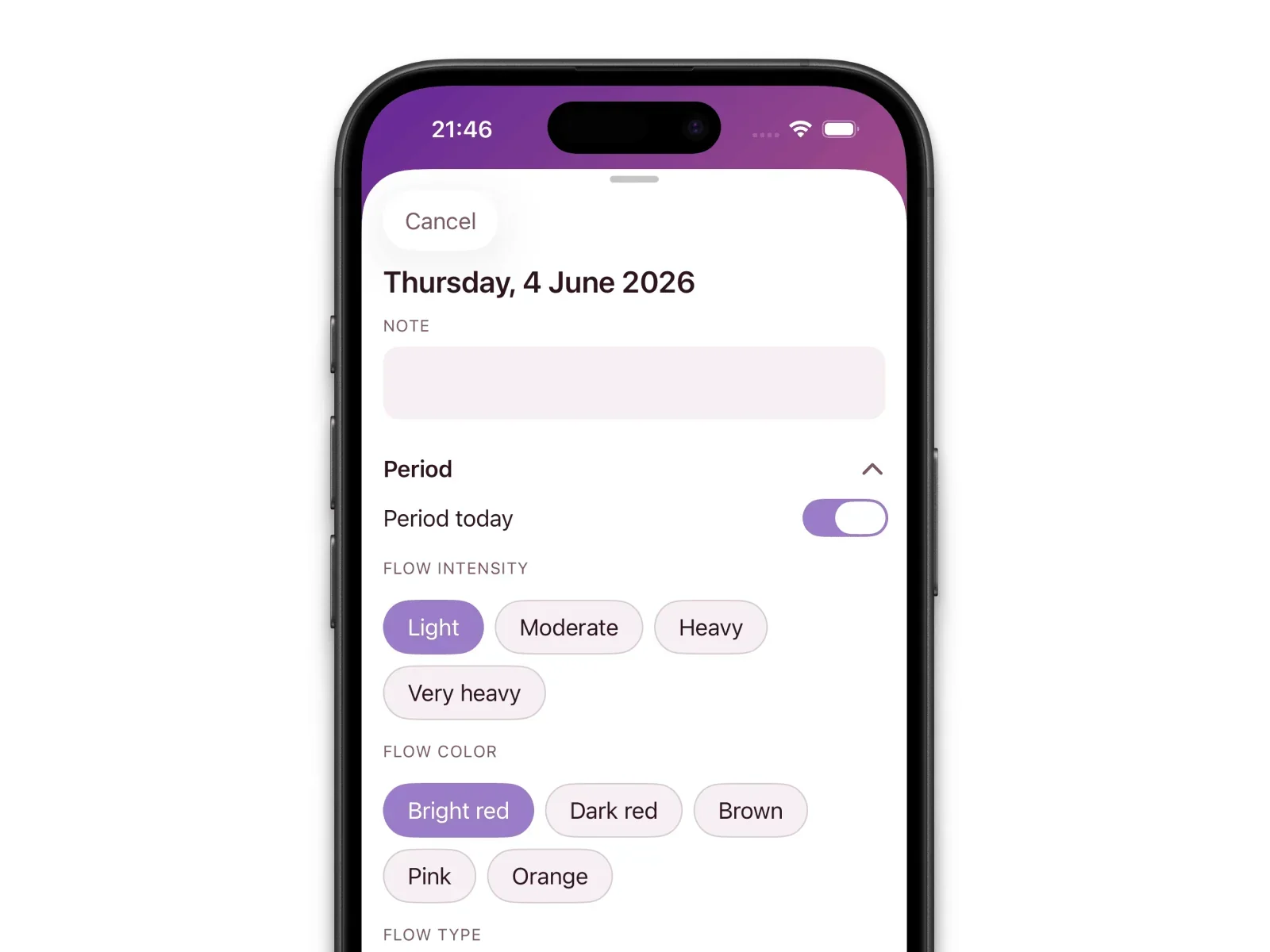
Flow intensity levels — what they mean
| Level | What you might notice | Why it can matter |
|---|---|---|
| Light | Light staining or manageable with one light product | Baseline for lighter days — often day one or the tail end of your bleed |
| Moderate | Steady bleeding; regular changes | Often reflects your typical heavier days |
| Heavy | Frequent changes; stronger cramps for some | Pattern shifts worth noting for your doctor |
| Very heavy | Soaking through quickly; possible clots | Helps you describe symptoms at appointments |
Logging Flow, Color, and Pain — and Why Each Field Matters
Flow intensity shows how heavy bleeding was. Over cycles, you may notice patterns — heaviest on day 2, lighter under stress.
Color can reflect where you are in your bleed. Brownish flow at the end is common; sudden changes from your norm are easier to discuss with a doctor when dated.
Pain level and type complete the physical picture. Cramp severity next to flow beats reconstructing details months later in a waiting room.
Expert note: Consistent logging builds a personal baseline. When cycles shorten, flow gets heavier, or new pain appears, dated entries turn a tracker into a useful clinical conversation starter — not just a calendar.
Adding Mood and Energy to Your Daily Log
The Wellbeing section captures how you felt — which many women report shifts across cycle phases.
Mood uses a five-level scale. Energy is low, medium, or high. PMS symptoms and basal temperature are available if you use them. Notes are free text for travel, illness, or medication changes.
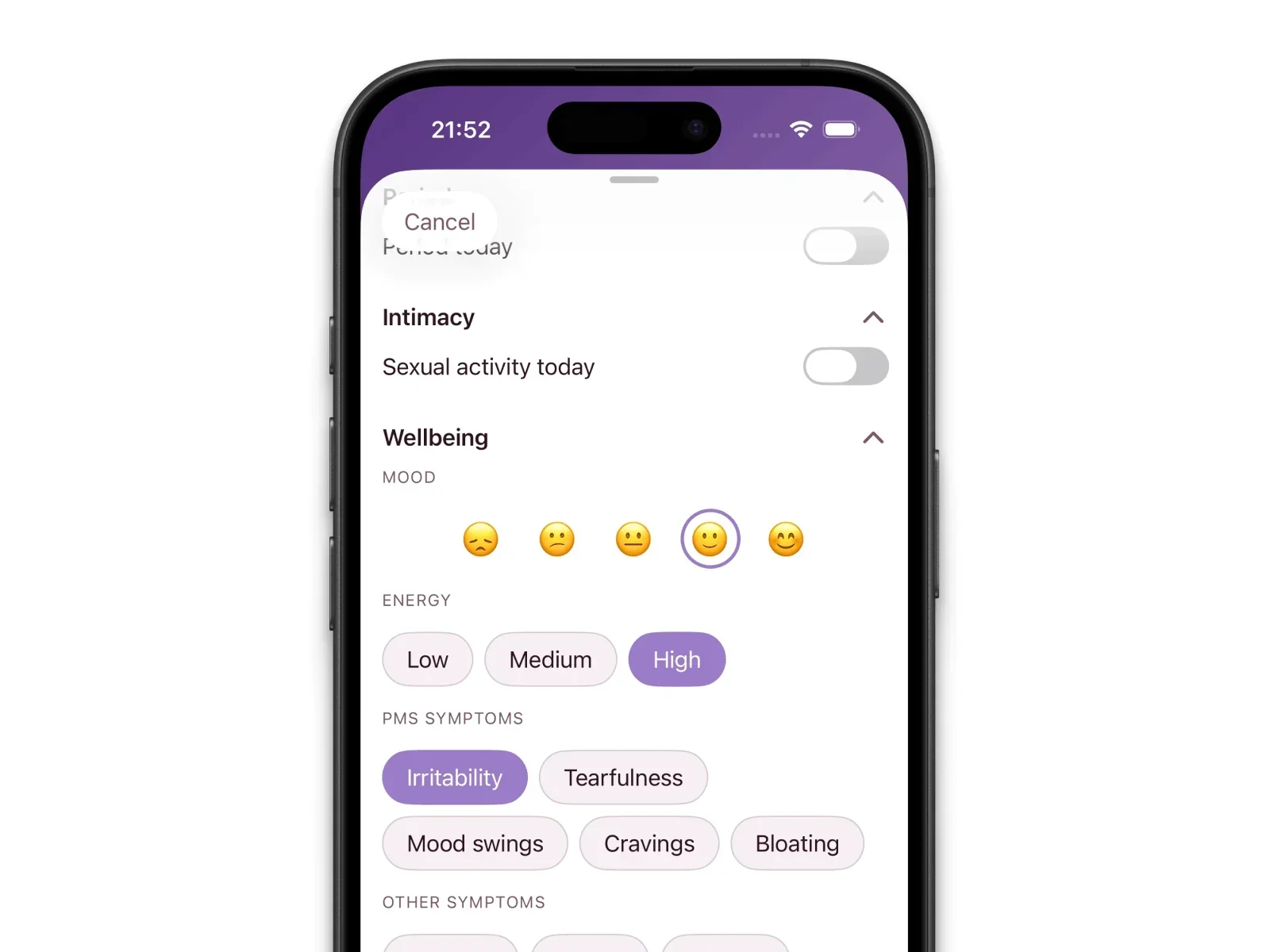
Press and hold today’s date each evening, or log the morning after. Thirty seconds is enough.
What Happens to Your Predictions After a Few Cycles
Before two full cycles: Elova uses your onboarding default length. Predictions are a starting point, not personal yet.
After two or more cycles: The app calculates your average cycle length and period duration. Phase labels — menstrual, follicular, ovulation, luteal — adapt to your pattern.
Over time: You see days-until-next-period, phase indicators, and forecasts up to twelve months ahead. Tap a future day to view predicted phase and fertility probability for that date.
The shift is gradual — many users notice the biggest jump between cycles three and six, especially when cycle day one is logged consistently.
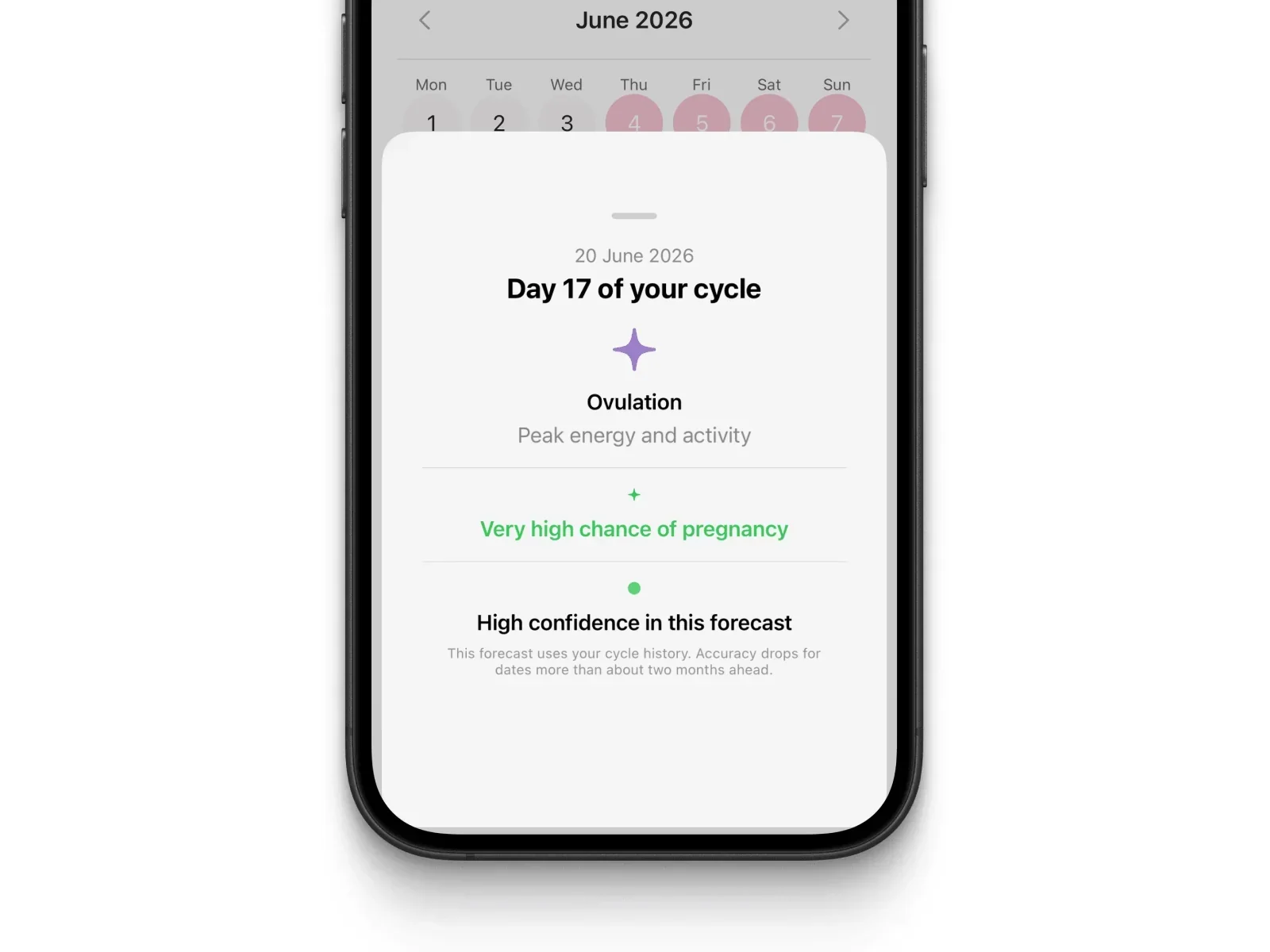
Keep logging even if cycles are irregular. Elova works with what you have.
FAQ
How many cycles does Elova need to predict my period?
Typically two full cycles of logged period days. Before that, Elova uses your onboarding default. More complete marks mean better personalization.
Can I log my period after the fact in Elova?
Yes. Tap any past date to mark it, then press and hold for details. Backlogging is fine — roughly correct start dates matter most.
Does Elova store my period data on iCloud?
Elova does not upload health entries to our servers or offer iCloud sync. Your log stays on your device. iCloud Backup may include app data in Apple’s encrypted device backup — that is Apple’s system, not Elova. See the Elova Privacy Policy.
Start Simple, Stay Consistent
Tap to mark, press-and-hold for the day card, add details when you can. That is the whole system.
Download Elova on the App Store or visit Elova Support for more help. Mark today if you are bleeding, and build from there. A few seconds a day turns guesswork into something you can actually use.